Accidentally sent an embarrassing email: what to do?
Sent an embarrassing email by mistake? Act quickly and professionally to minimize the damage and learn from it.
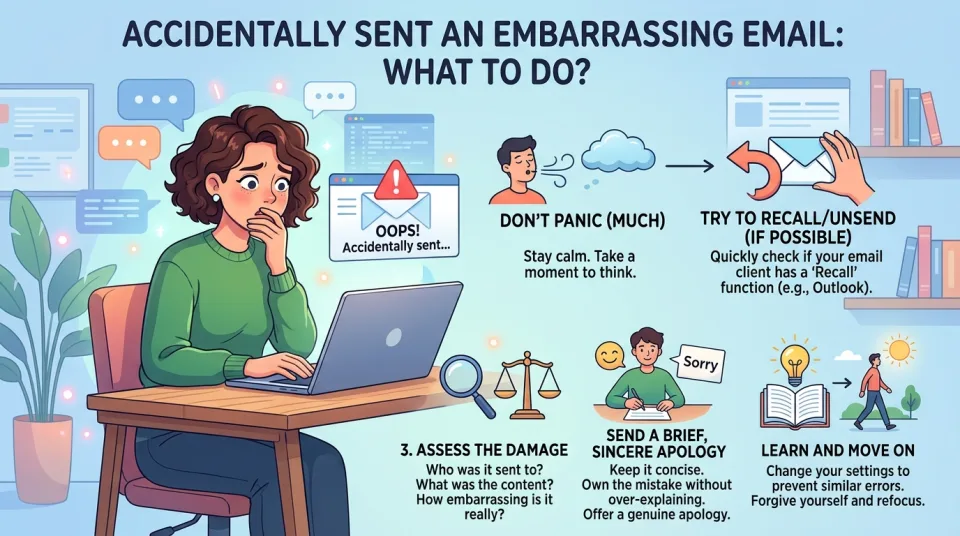
Quick answer
4 steps — read this before anything else
-
1
Try to recall the email immediately if your email client allows it.
-
2
Send a brief, professional follow-up apologizing and clarifying.
-
3
Avoid sending multiple apologies or drawing more attention.
-
4
Review your email settings and habits to prevent future mistakes.
It happens to almost everyone: you hit send on an email and immediately realize it was a mistake. Maybe it went to the wrong person, contained a typo, or included something you would never have shared intentionally. The first few minutes are critical. Here is how to handle it calmly and professionally.
What to do first
- Try to recall the email. Many email services (like Gmail or Outlook) offer a brief window to unsend or recall a message. Act fast: this is the simplest fix if it works.
- Assess the damage. Who received it? Was it a minor typo or something sensitive? This will guide your response.
- Send a follow-up if needed. If you cannot recall it, send a short, professional correction or apology. For example: "Please disregard my previous email; it was sent in error. I apologize for any confusion." Keep it brief and avoid over-explaining.
- Contact the recipient directly if it was serious. For sensitive content, a phone call or a private message may be more appropriate than another email.
What NOT to do
- Do not panic or send multiple apologies. Flooding the recipient with messages draws more attention to the mistake.
- Do not try to delete the email from the recipient's inbox. You cannot, and attempting to do so may seem intrusive.
- Do not blame others or make excuses. A simple acknowledgment is more professional.
- Do not ignore it if it was serious. If the email contained confidential information or was offensive, address it promptly.
When to escalate
If the email contained sensitive personal data, confidential business information, or was accidentally sent to a large group, inform your manager or IT/security team immediately. They can advise on next steps, such as notifying affected parties or taking technical measures.
How to prevent it
- Enable undo send. Check your email settings for a recall or delay-send feature and set it to 30 seconds or more.
- Double-check recipients. Always verify the "To" and "Cc" fields before hitting send, especially when replying to all.
- Write sensitive emails in a separate document. Compose in a word processor first, then paste it into the email when ready.
- Use a clear subject line and review tone. A quick read-through can catch embarrassing mistakes.
Remember, everyone makes mistakes. Handling it with grace and a quick correction usually minimizes any lasting impact. If you are unsure how to proceed, ask a trusted colleague for advice.
Spotted an error? Report it — we correct factual mistakes promptly.
Read next
Bed bugs suspected at home: what to do?
If you think you have bed bugs, act quickly to confirm the problem and prevent them from spreading. Learn the safe steps to take and what to avoid.
Bad smell coming from bathroom drains: what to do?
A foul odor from bathroom drains is usually caused by a dry trap, buildup, or a blocked vent. Learn safe steps to find and fix the problem.
Ants invading the kitchen counter: what to do?
Ants on your kitchen counter are a common nuisance that you can manage with simple sanitation and targeted baiting. Learn the safe, effective steps to eliminate them and prevent their return.
How to test and replace a smoke alarm battery
Regular testing and timely battery replacement keep your smoke alarm working. Learn how to test your alarm and replace the battery safely.
Related handy tools
Checklists, decision guides, scenarios and quizzes for the same situation.