App keeps crashing on the phone: what to do?
A step-by-step guide to troubleshoot and fix an app that keeps crashing on your phone, from simple restarts to reinstalling the app.
Quick answer
5 steps — read this before anything else
-
1
Force stop the app and reopen it.
-
2
Restart your phone.
-
3
Check for and install any available app updates.
-
4
Clear the app's cache (not data) if the crashes persist.
-
5
Reinstall the app as a last resort.
When an app keeps crashing on your phone, it can be frustrating and disrupt your day. Crashing usually means the app has encountered an error it cannot handle and has closed unexpectedly. Common causes include software bugs, corrupted cache files, insufficient memory, or compatibility issues with your phone's operating system. Fortunately, most crashing issues can be resolved with a few simple steps.
What to do first
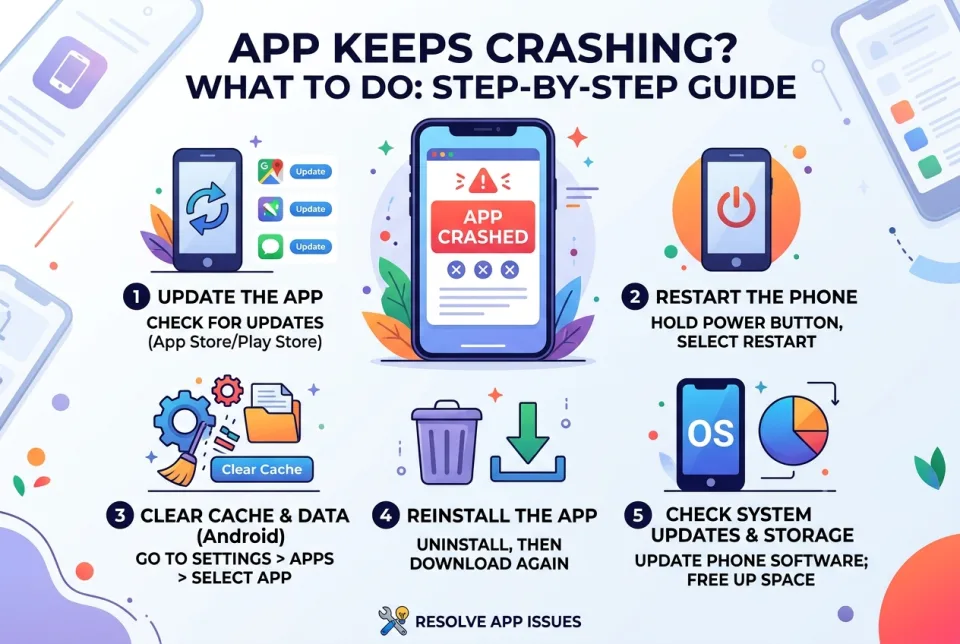
- Force stop the app: Go to your phone's Settings > Apps (or Application Manager) > find the app > tap Force Stop. Then reopen the app. This closes the app completely and clears any temporary glitches.
- Restart your phone: A simple reboot can clear system memory and resolve temporary conflicts.
- Check for app updates: Open the app store (Google Play Store or Apple App Store), search for the app, and install any available updates. Developers often release fixes for known bugs.
- Clear the app's cache: In Settings > Apps > select the app > Storage > tap Clear Cache. This removes temporary files without deleting your data. Avoid clearing data unless necessary, as it may erase your settings and login information.
- Reinstall the app: Uninstall the app, then reinstall it from the official store. This replaces any corrupted files with fresh ones.
What NOT to do
- Do not download apps from unofficial sources; they may contain malware or be unstable.
- Do not clear app data unless you are prepared to lose saved settings and progress.
- Do not ignore system updates; keeping your phone's operating system up to date can prevent compatibility issues.
- Do not repeatedly force stop the app without trying other steps; it may not address the root cause.
When to seek professional help
If the app still crashes after trying all the above, the issue may be with the app itself or your phone's hardware. Contact the app's support team for further assistance. If multiple apps crash frequently, your phone may have a system problem; consider contacting your phone manufacturer's support or visiting a certified repair center.
How to prevent app crashes
- Keep your phone's operating system and apps updated.
- Regularly restart your phone to clear memory.
- Avoid installing too many apps that run in the background.
- Ensure you have enough free storage space; a full storage can cause apps to malfunction.
By following these steps, you can often resolve app crashes quickly. If the problem persists, professional support is your best next step.
Spotted an error? Report it — we correct factual mistakes promptly.
Read next
What Should I Do If I Lose My Phone?
Losing your phone is stressful, but quick action can protect your data and accounts. Follow these 9 steps to secure your device and personal information.
What to Do If Your Phone Screen Cracks, 7 Ways to Protect It Until You Get It Fixed
A cracked phone screen is fragile and dangerous to use. Learn immediate steps to stabilize the damage and 7 practical ways to protect it until you can get it repaired.
What Should I Do If My Apps Keep Crashing?
Apps that crash repeatedly are usually fixable with a few simple steps. Try these nine solutions in order, from quick restarts to reinstalling the app.
Laptop stolen: what to do?
If your laptop is stolen, act quickly to protect your data and accounts. Here is a step-by-step guide to secure your information and report the theft.
Related handy tools
Checklists, decision guides, scenarios and quizzes for the same situation.